Your logbook,
finally sorted.
LogPit is the pilot logbook for iPhone, iPad and Android that does the admin for you. Import your whole career in minutes, get reminded before anything expires, and see every hour you've flown — privately, on your own device.
30 days free · then £11.99 a year — less than £1 a month · no account needed
- No account or sign-in
- Your logbook never leaves your device
- No adverts, analytics or tracking
- EASA, UK, FAA, TCCA, CASA & ICAO
Up and running in minutes.
- 1
Bring your logbook
Import a CSV from your crew portal or old logbook app — or scan ACARS screens, PDF reports, rosters and paper pages. You check everything before it’s saved.
- 2
Log as you fly
Snap the ACARS screen after landing, or add a flight in seconds. Night time, distance and block time are worked out for you, all in UTC.
- 3
Always ready
Recency, hours and expiry dates at a glance, and a signed PDF logbook in your authority’s layout whenever someone asks for it.
Thirty seconds.
Your whole career.
The globe, the reminders, the ACARS scanner and the backups — all filmed in the app itself, with nothing mocked up.
Sound on for the full effect.
Bring your whole career with you.
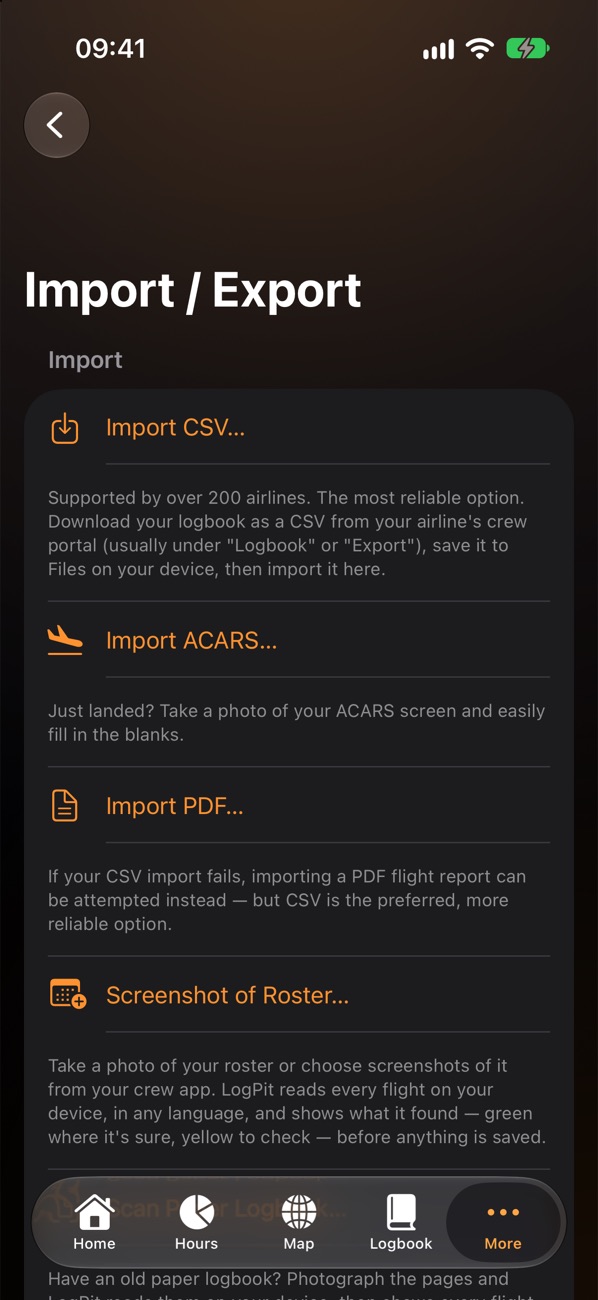
Moving logbooks usually means a weekend of retyping. LogPit reads the records you already have — and shows you everything before it's saved.
Most reliable Least reliable
- CSV exportFrom your airline's crew portal or your old logbook app. Columns are matched for you, and anything LogPit has no box for is kept, never dropped.Most reliable
- ACARS screenJust landed? Photograph the ACARS times page. Block times, route and aircraft are read on the phone, ready for you to check.
- PDF flight reportYour airline's flight reports, read line by line.
- Roster screenshotAny view your crew app offers — list, day or month. Local times are converted to UTC for you.
- Paper logbookPhotograph your old pages. Every entry is shown for checking, with anything unclear highlighted.
- Checked before anything is savedA preview shows the flights, hours and dates, and flags duplicates and anything unusual.
- Change your mind? Undo itEvery import is listed in Import History and can be taken back out in one tap.
- Routes from flight numbersA row with a flight number but no airports can borrow the route you flew before — only once you've ticked it.
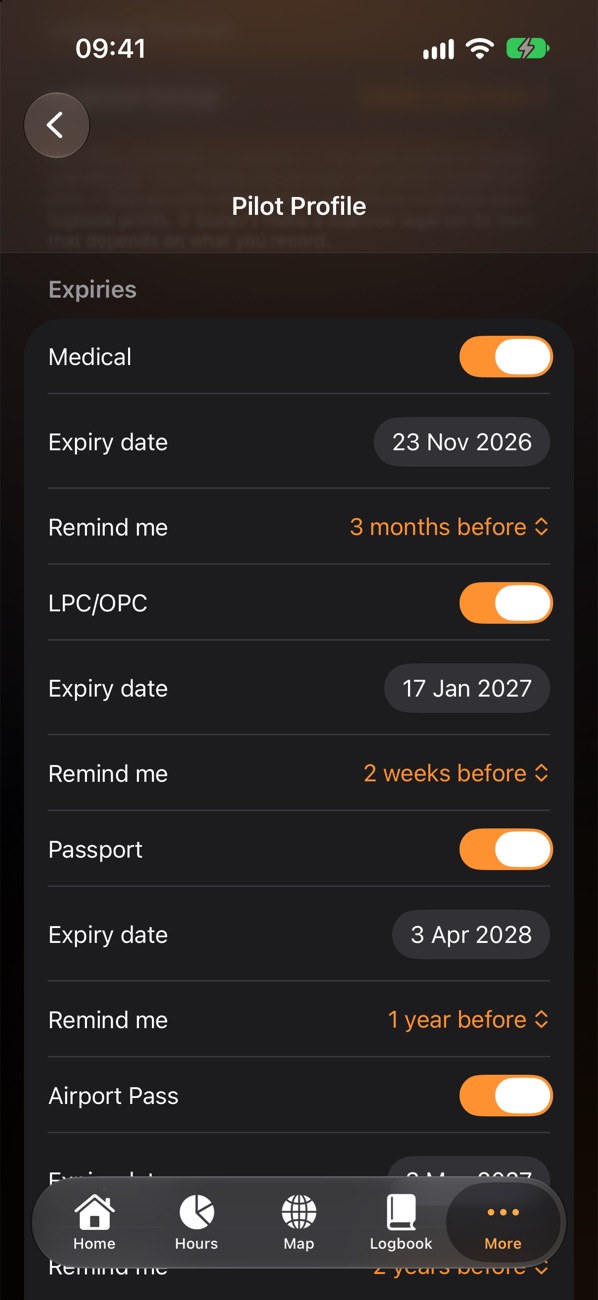
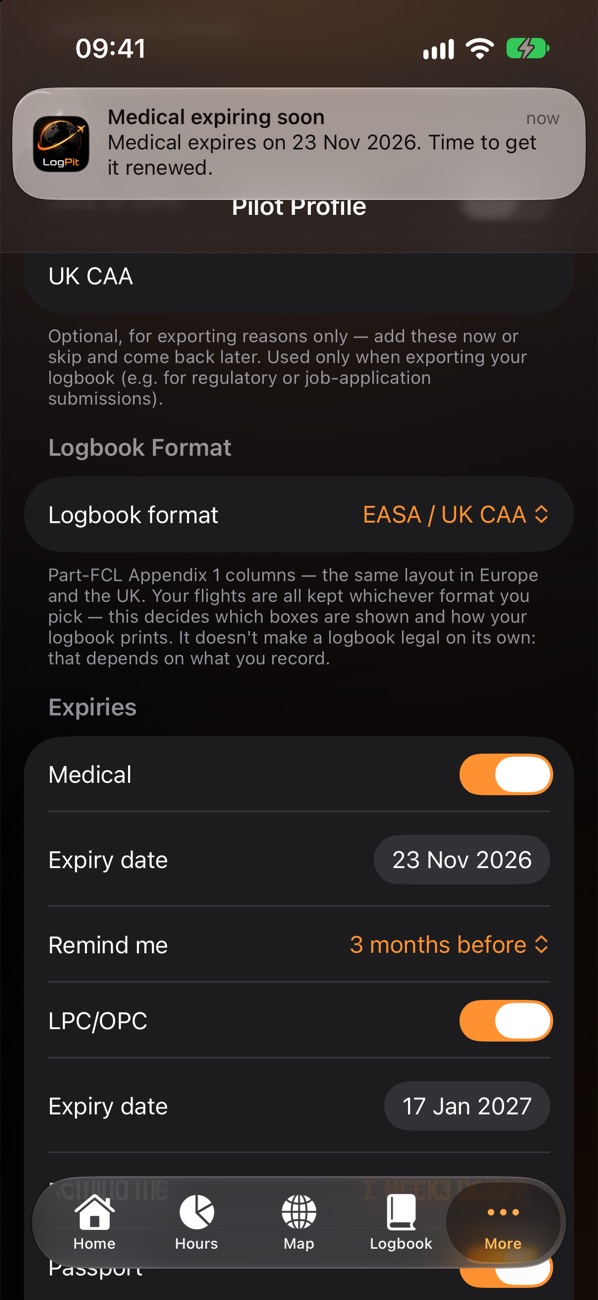
Never get caught out by a date again.
Tell LogPit when your medical, LPC/OPC, passport and passes run out, choose how much notice you want, and a reminder arrives in good time.
- Five dates, tracked for youMedical, LPC/OPC, passport, airport pass and airline pass.
- Your choice of noticeFrom two weeks to two years ahead — set separately for each one.
- Reminders stay on your phoneScheduled and delivered on your device. One switch turns them all off.
Know you're current, at a glance.
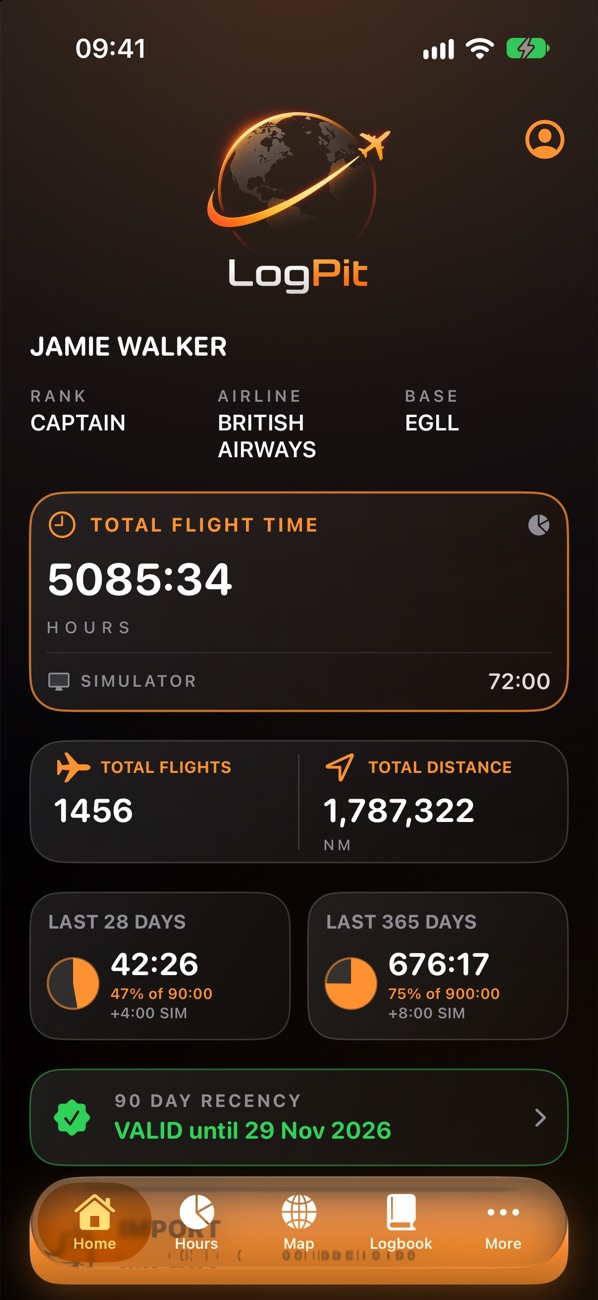
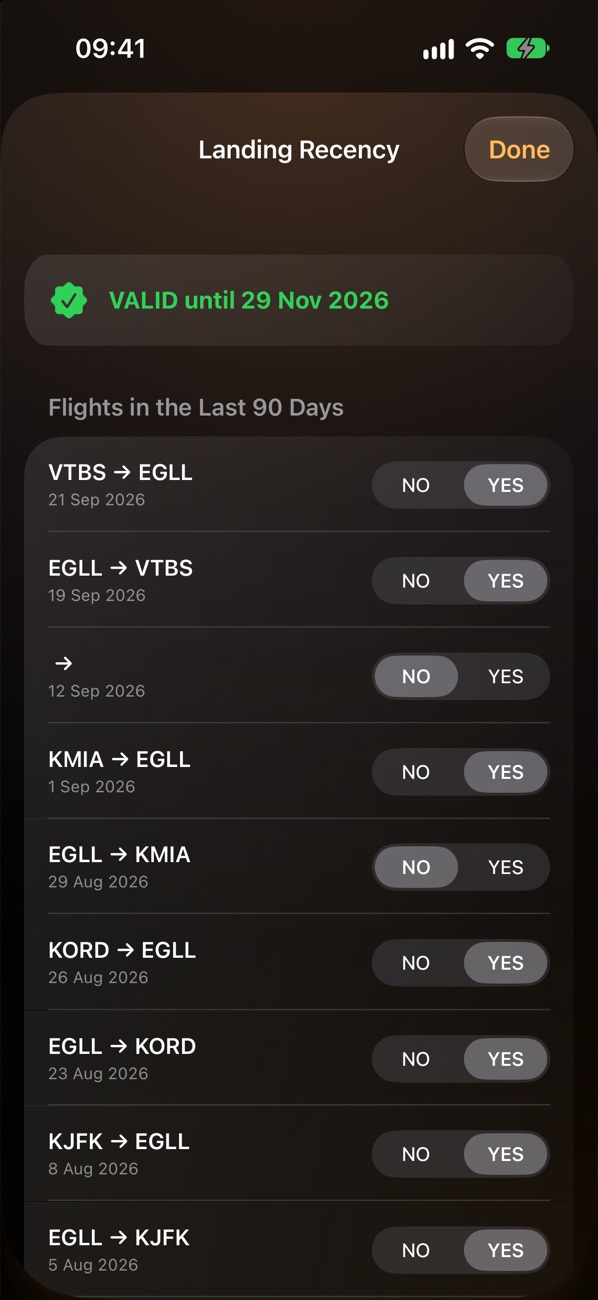
LogPit keeps an eye on the numbers you'd otherwise work out on the back of a roster.
- 90-day landing recencyThree take-offs and landings in 90 days, with the date you stay current until — for EASA, UK CAA and CASA logbooks.
- FAA and Transport Canada recencyDay, night and instrument currency plus your flight review or recurrent training, worked out from your flights and your Checks & Reviews.
- Hours against your limitsPick any period, set a maximum and choose whether simulator time counts. A pie shows how much you've used.
Recency and limits are guides to help you keep track, not legal rulings. Always check the rules that apply to your licence and operator.
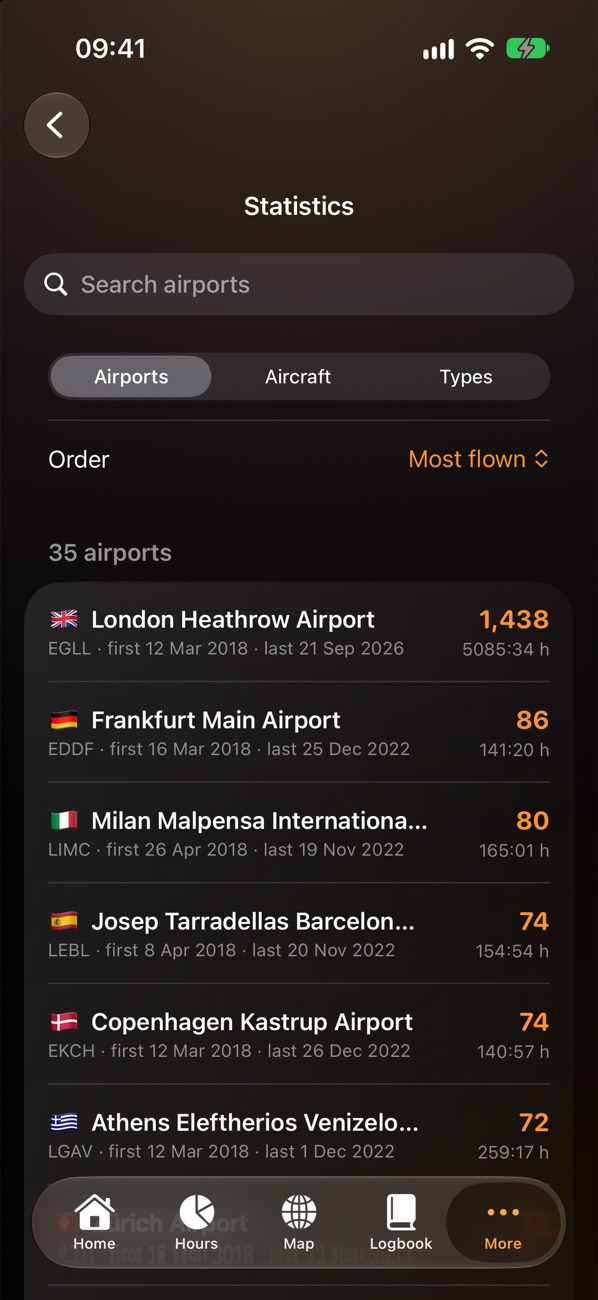
Every hour, every way you need it.
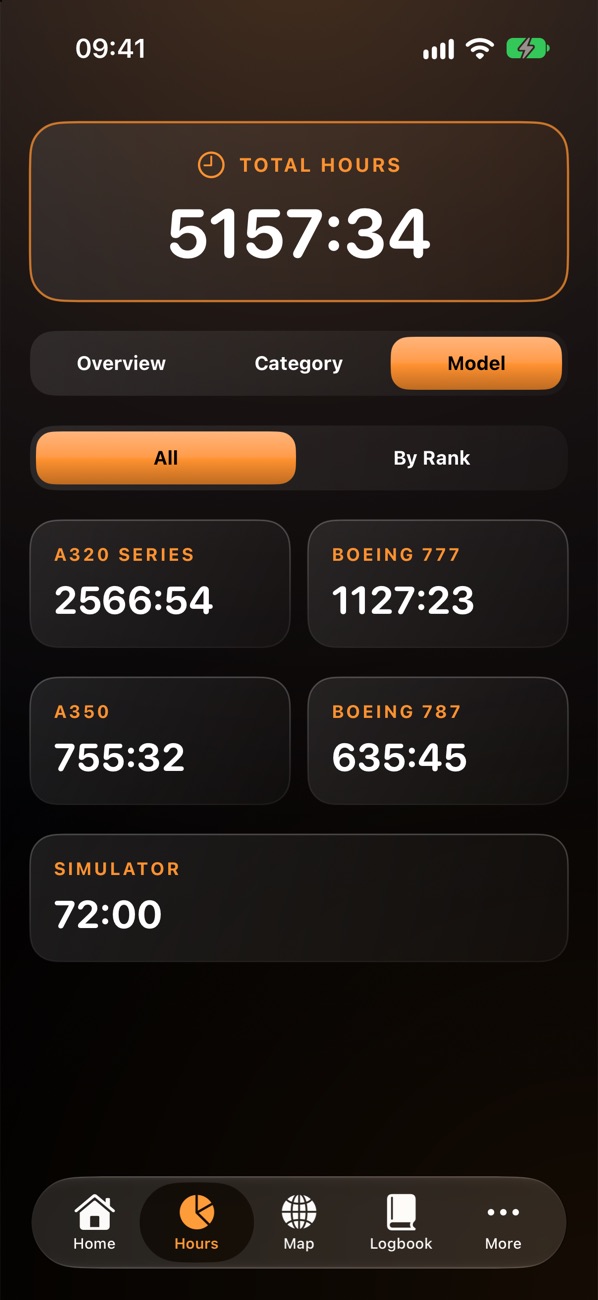
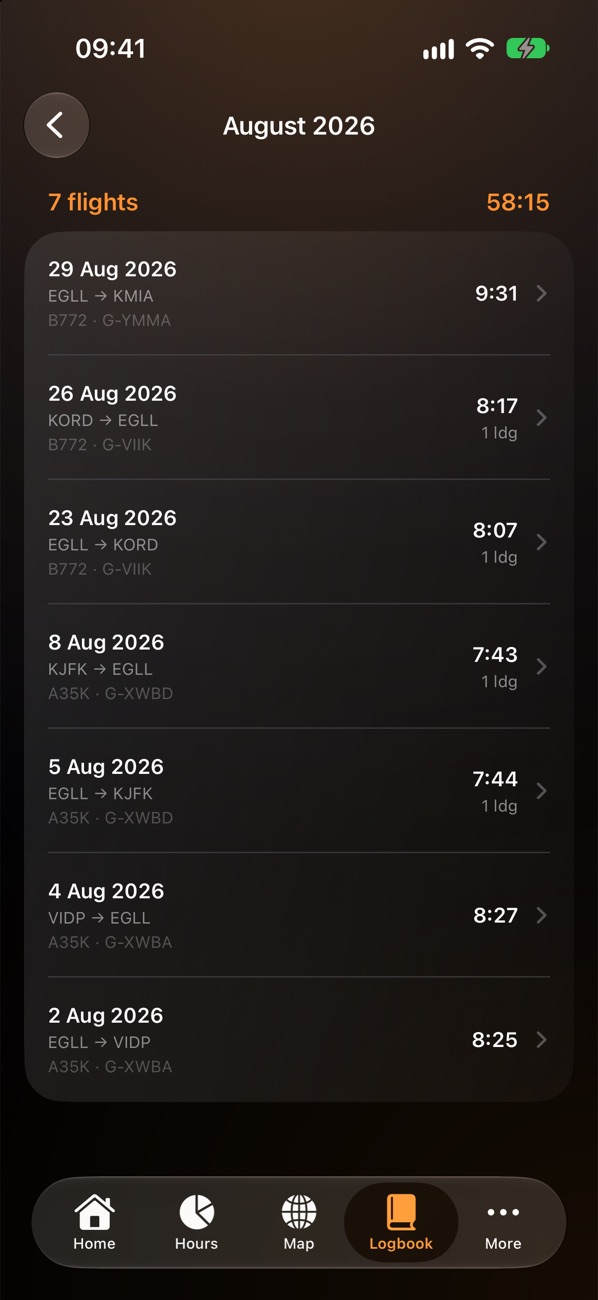
Your totals broken down the way pilots actually talk about them — and a logbook you can find anything in.
- Hours by function, category, model and rankPIC, co-pilot, dual, instructor, day, night, IFR and simulator — and how much of it was in each type, in each seat.
- Search and filter the whole logbookBy date, airport, aircraft, registration or crew name, with the flights and hours totalled as you go.
- StatisticsEvery airport, registration and type you've flown, with first and last visits.
- The sums done for youNight time, great-circle distance and block time are calculated from your times — all in UTC, including flights past midnight.
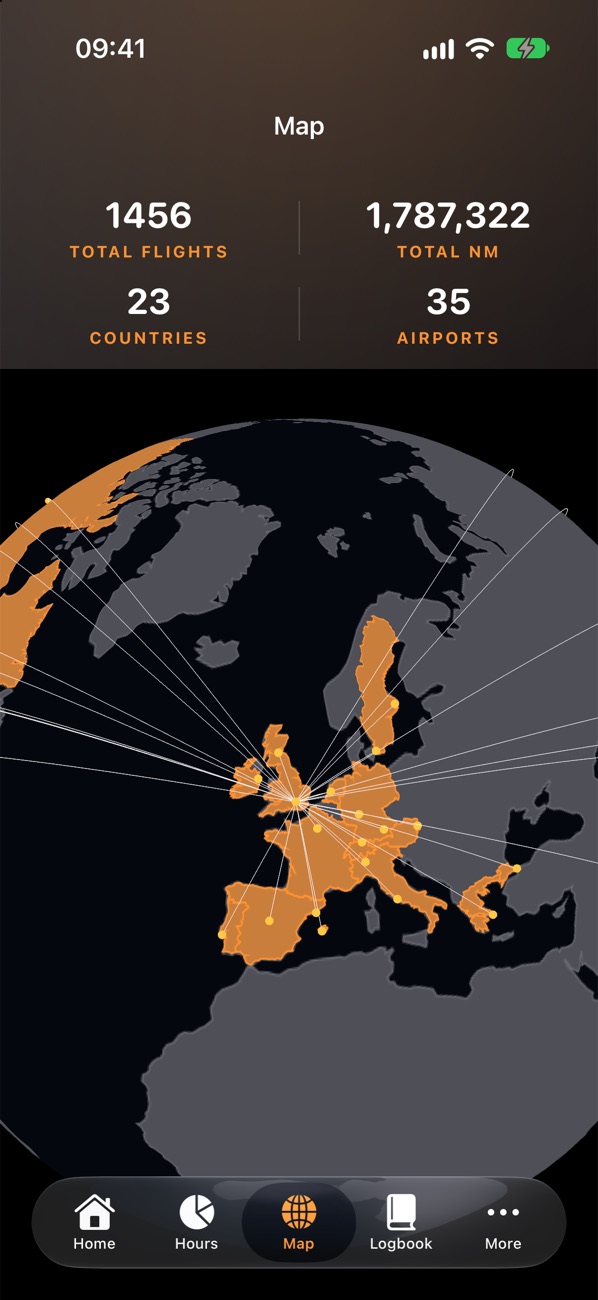
See everywhere you've ever flown.
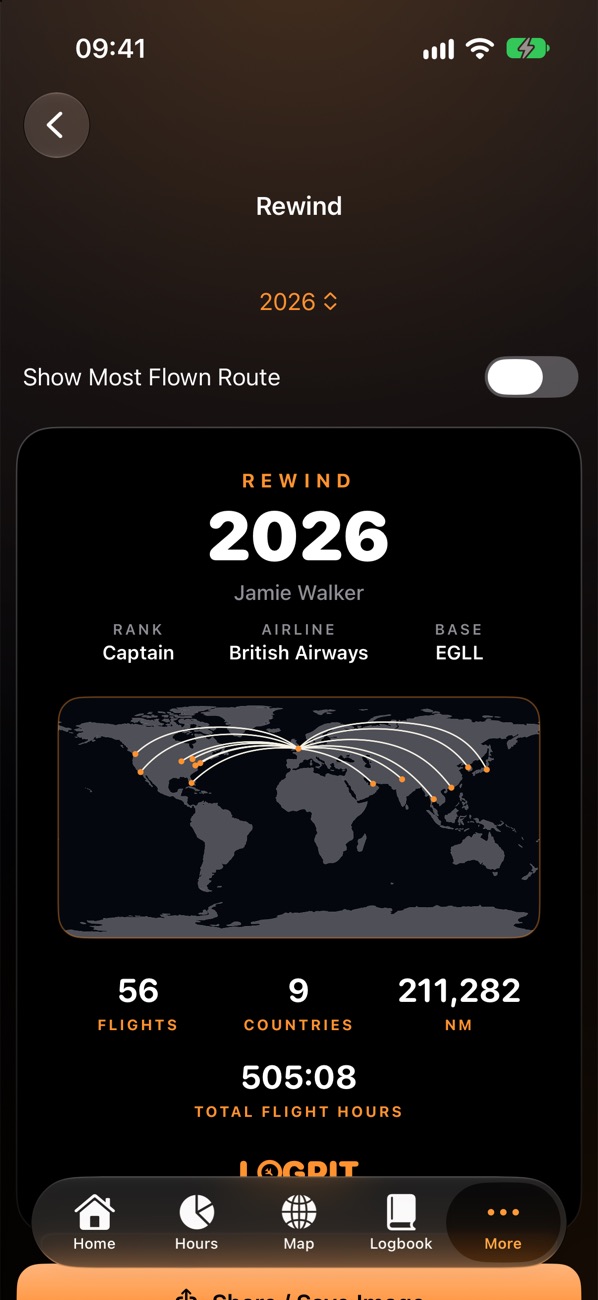
Spin a 3D globe of every route in your logbook, tap any airport to leave yourself a note, and relive each year with Rewind.
- Your career on a globeEvery route, the countries and airports you've visited, and the total distance flown.
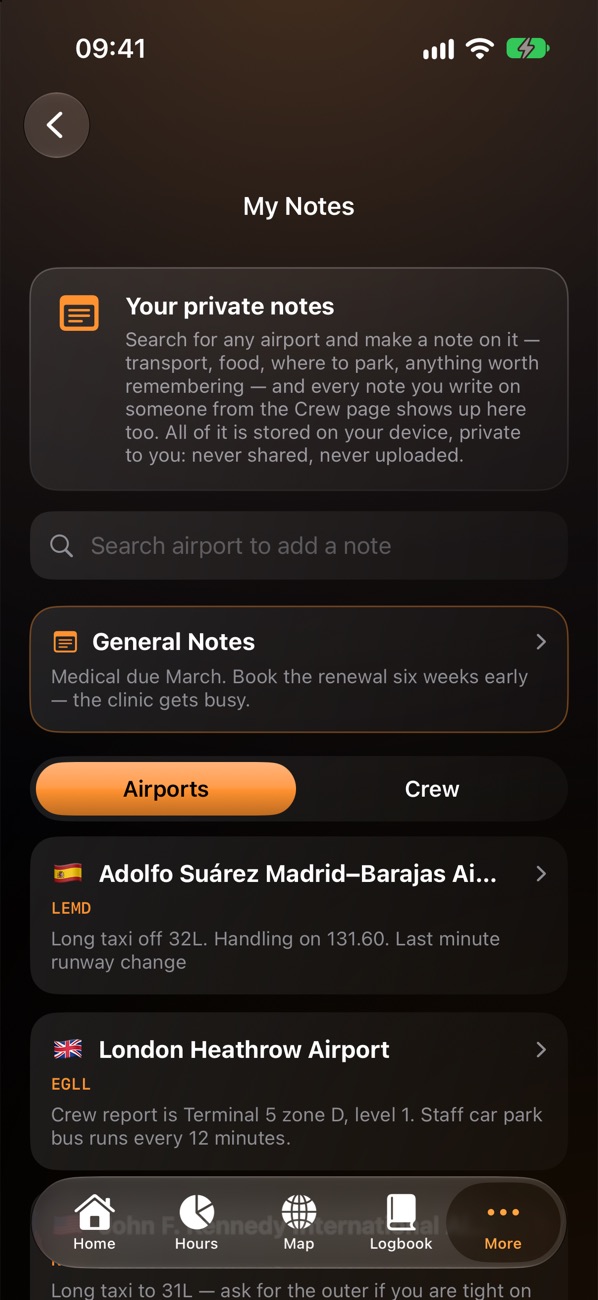
- Private airport notesThe taxi route, the crew car park, the good coffee — kept for next time.
- RewindYour year in flying on one shareable page: flights, countries, hours and routes.
Remember who you flew with.
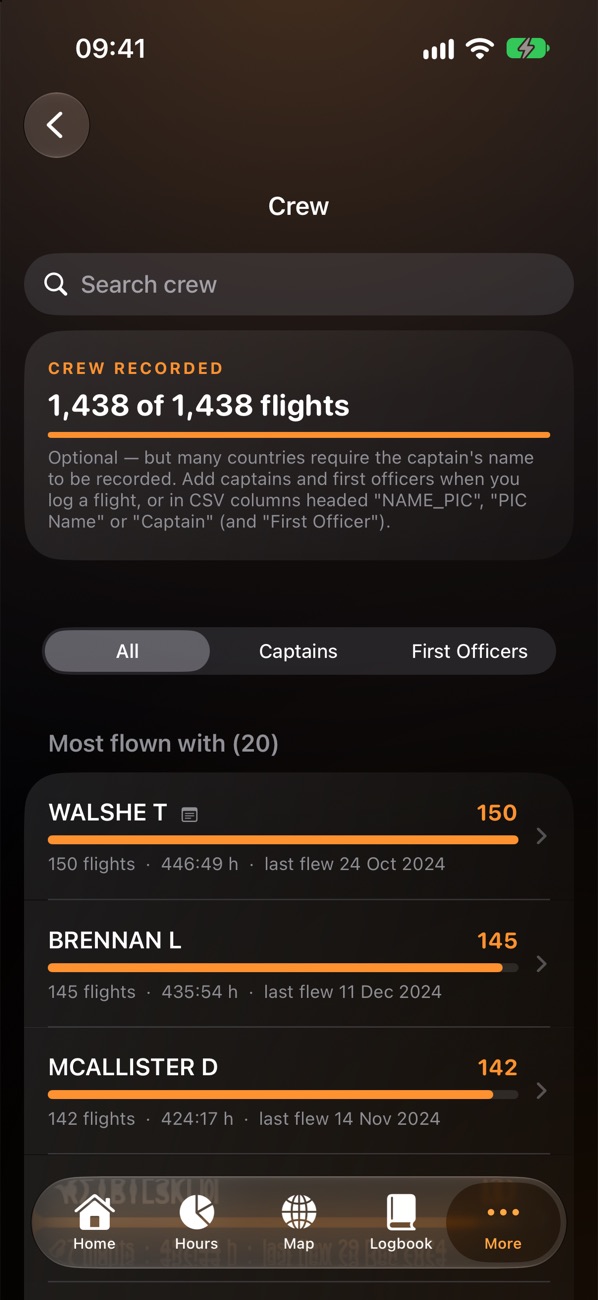
Everyone you've shared a flight deck with, how often, and anything you want to remember about them — for your eyes only.
- Your crew, rankedFlights and hours with every captain and first officer, drawn to scale.
- Private notesCrew notes, airport notes and general notes in one place. Never uploaded, never shared.
Hand it over, signed on every page.
When a check, an employer or an authority asks for your logbook, it's ready in seconds.
- A PDF logbook in your authority's layoutEASA, UK CAA, FAA, Transport Canada, CASA or ICAO columns — for any period, with or without simulators, remarks and crew names.
- Your signature on every pageUnder a boxed “I certify these records are accurate and correct”, so a page handed over on its own still shows who signed it.
- A one-page summaryYour career and licence details as a PDF, or as a picture to share that leaves out your address, date of birth and licence number.
- CSV with every fieldTake your data anywhere, whenever you like.
Pilot Logbook — J. Walker · EASA / UK format
| Date | From | To | Type | Total | Night | PIC |
|---|---|---|---|---|---|---|
| 21 Sep 26 | VTBS | EGLL | B777 | 12:04 | 0:00 | 12:04 |
| 19 Sep 26 | EGLL | VTBS | B777 | 11:18 | 3:52 | 11:18 |
| 12 Sep 26 | EGLL | LEMD | A320 | 2:14 | 0:00 | 2:14 |
| 12 Sep 26 | LEMD | EGLL | A320 | 2:22 | 0:41 | 2:22 |
| 1 Sep 26 | KMIA | EGLL | B777 | 8:36 | 5:10 | 8:36 |
| 29 Aug 26 | EGLL | KMIA | B777 | 9:31 | 1:02 | 9:31 |
Page 1 of 1
Lose your phone, not your logbook.
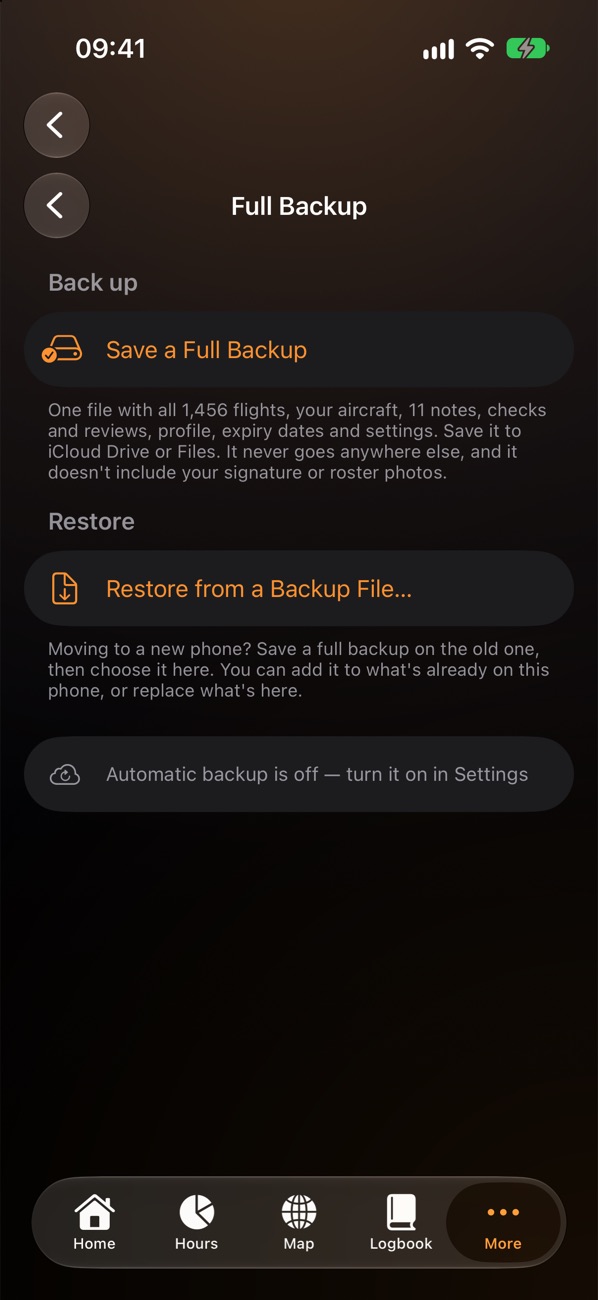
Your logbook lives on your device — and LogPit makes it easy to keep a copy somewhere safe.
- Automatic backupChoose a folder in iCloud Drive and LogPit saves a fresh backup whenever your logbook has changed, keeping the last 14 days' copies.
- One-file full backupFlights, aircraft, notes, checks, profile and settings in a single .logpit file.
- New phone? Restore in one stepAdd to what's there, or replace it — with safety copies kept first, just in case.
- A nudge if it's been a whileA reminder if 90 days pass without a backup.
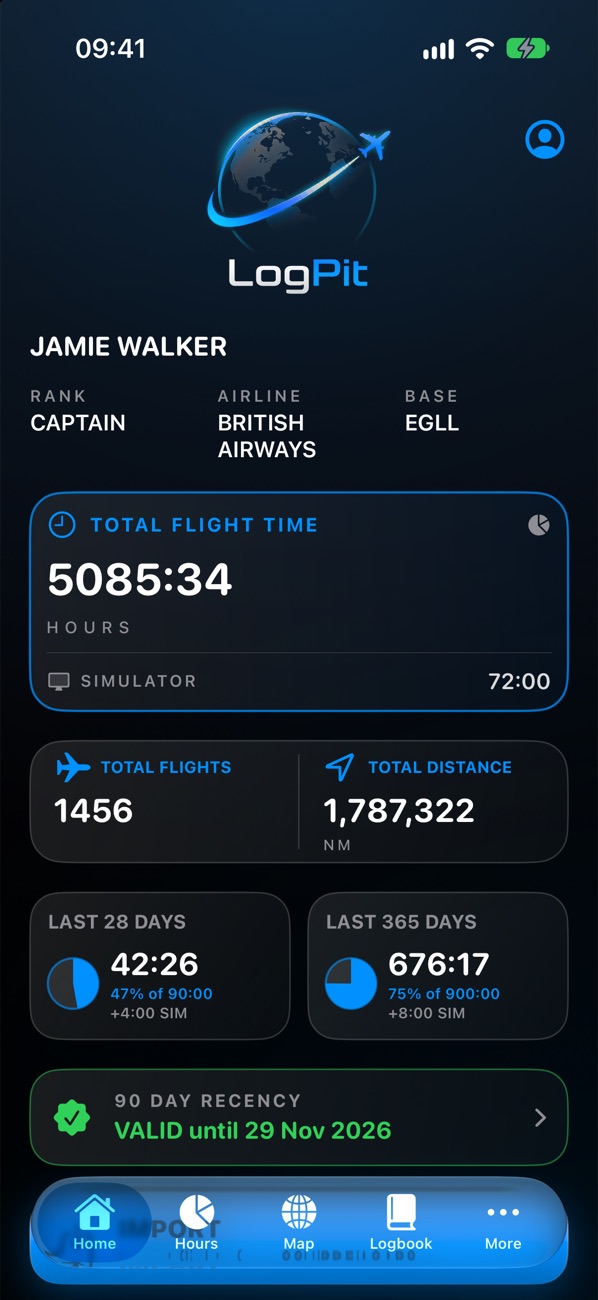
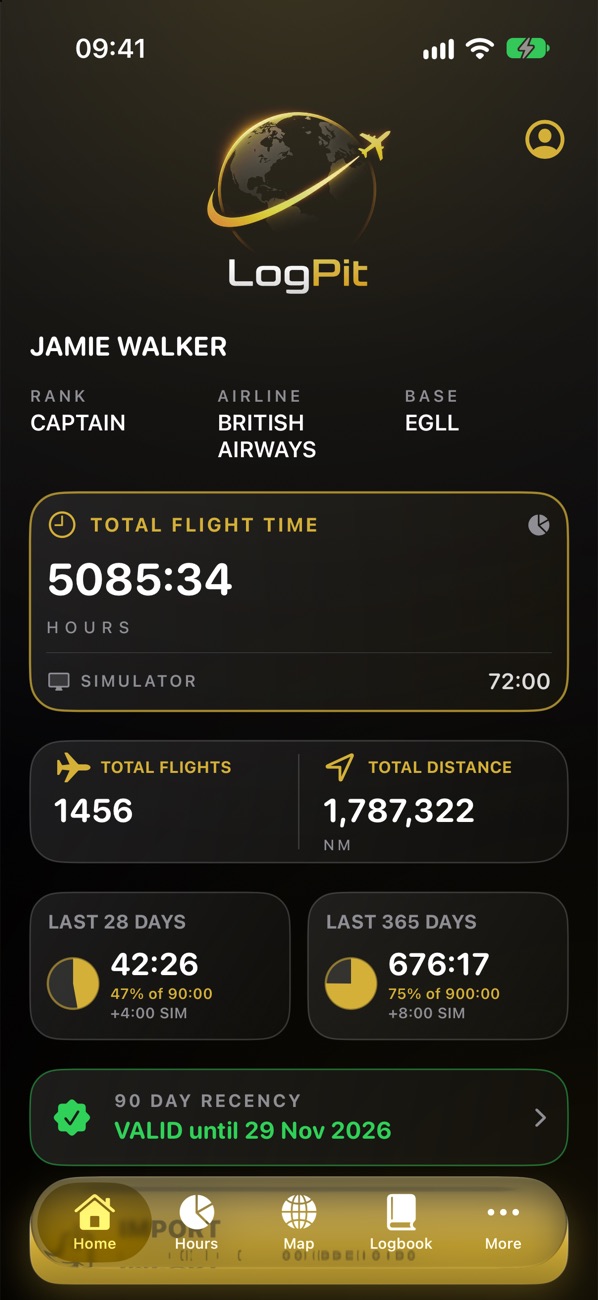
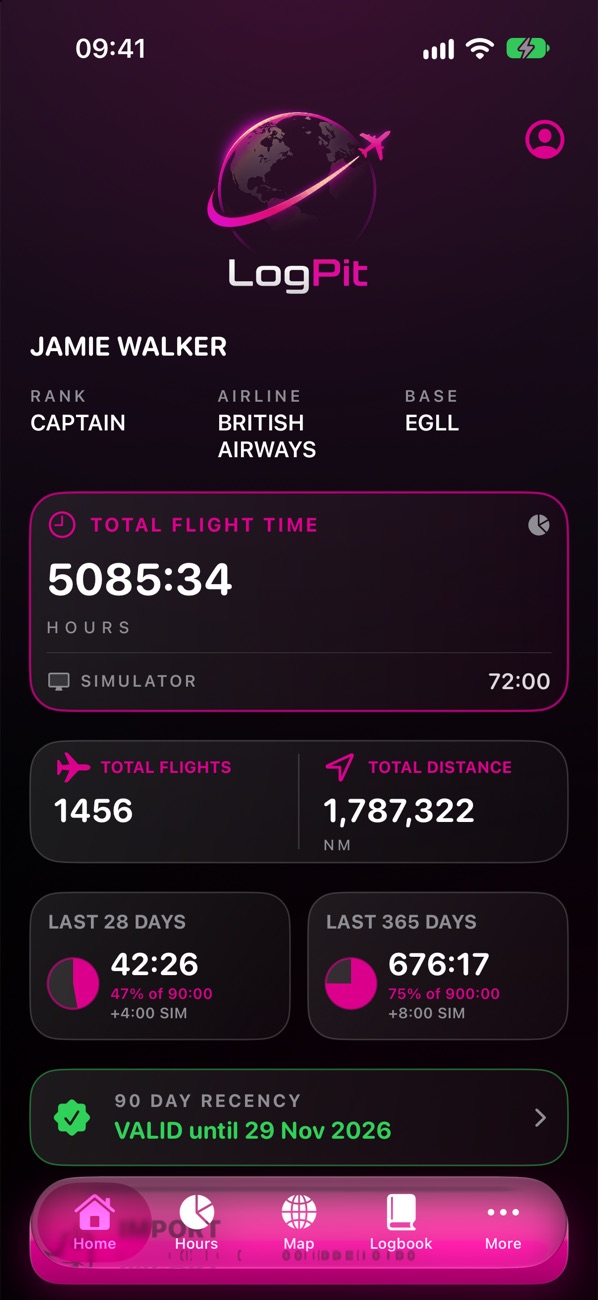
Your airline. Your format.
Your colours.
Pick your airline and LogPit suggests its fleet and the logbook layout your licence expects. Then make it look how you like, with 20 colours on a dark or light background.
All the little things, done properly.
Saved rosters
Keep a picture of each month's roster alongside your logbook.
Checks & reviews
Record flight reviews, proficiency checks and recurrent training.
Error finder
Spots duplicates, overlapping flights and anything that looks wrong — and clears duplicates in one tap.
Opening hours
Bring the totals from your paper logbook forward in a minute.
Aircraft
Your aircraft and simulator devices, with categories worked out from the type.
Works offline
Everything — even reading photos — happens on your device. No signal needed.
One plan. Less than £1 a month.
Every feature is free for your first 30 days — no card, no account. After that, one simple plan unlocks everything, priced as low as we can make it.
LogPit Annual
- Every import — CSV, PDF reports, ACARS, rosters and paper
- 3D route globe, crew, notes and Rewind
- Expiry reminders and recency
- Automatic backup and the summary page and image
- Ongoing development and improvements
- Renews every year until you cancel
Free, forever
Whatever you choose — or if you choose nothing — your logbook is always yours.
- See your whole logbook
- Log flights by hand up to 250 hours
- Hours, totals and profile
- Export a CSV or PDF logbook
- Save a full backup file
Price shown in UK pounds; the store shows the price in your currency. Prices are subject to change. LogPit Annual is an auto-renewing subscription: payment is charged to your Apple ID or Google Play account, and it renews unless cancelled at least 24 hours before the end of the current period. Manage or cancel it in your Apple ID settings or the Play Store. See our terms.
Your logbook is yours. Full stop.
LogPit has no servers to send your data to. Your flights, your notes about crew, your licence details — they stay on your phone or tablet unless you choose to export them.
- No account, no sign-inOpen the app and start. There's nothing to register.
- No cloud, no serversNothing you enter is ever uploaded to us — there's nowhere for it to go.
- No adverts, analytics or trackingNot in the app, and not on this website either.
- Photos read on your deviceACARS screens, rosters and paper pages are read by on-device text recognition. Nothing is uploaded.
Questions, answered.
Is LogPit an official logbook?
LogPit keeps your records in the column layout your authority uses — EASA, UK CAA, FAA, Transport Canada, CASA or ICAO — and prints a PDF signed on every page. Whether a logbook meets your authority's requirements depends on what you record in it, so keep your records as your licensing authority asks.
Can I import my existing logbook?
Yes. A CSV export from your airline's crew portal or your previous logbook app is the most reliable way. LogPit can also read PDF flight reports, ACARS screens, roster screenshots and photos of paper logbook pages, and always shows you what it found before anything is saved.
Where is my data stored?
Only on your phone or tablet. LogPit has no accounts and no servers. You can save a full backup file whenever you like, or turn on automatic backup to a folder you choose, such as iCloud Drive or Google Drive.
What happens when the free trial ends?
You can still see your whole logbook, your hours and totals, and export a CSV or PDF logbook — for free, for good. You can also keep logging flights by hand until you reach 250 hours. Importing and the other features need LogPit Annual — less than £1 a month.
Does it work without signal?
Yes. Everything runs on the device, including reading photos. You only need a connection to buy or restore a plan.
Is there an iPad or Android version?
LogPit runs on iPhone and iPad, and an Android version is coming to Google Play. The full backup file works on both, so your logbook can move between them. A plan bought on the App Store unlocks LogPit on your Apple devices, and one bought on Google Play unlocks it on Android — with no accounts, purchases don’t carry across between the two stores.
I'm moving to a new phone. How do I bring my logbook?
Save a full backup on your old phone (Import/Export → Full Backup & Restore), then restore it on the new one. Your flights, aircraft, notes, checks, profile and settings all come across.
Something else? Visit support or email support@logpit.app.

Less admin. More flying.
LogPit is coming soon to the App Store and Google Play — with every feature free for your first 30 days.